SaaS Video Marketing November 3, 2026
SaaS Demo Video vs Explainer Video: Which to Choose
Short answer: choose a SaaS explainer video when buyers still need to understand the problem, the value, or the big idea behind your product. Choose a SaaS product demo video when buyers already understand the category and need to see how your software works. If your landing page must do both jobs, use a hybrid: establish the outcome first, then prove it with one focused product workflow.
That distinction sounds simple, but teams often blur it. The result is usually a polished video that explains too much interface detail before the viewer cares, or a broad brand story that never gives a serious buyer enough proof. This guide gives SaaS founders and product marketers a practical way to decide between a SaaS demo video vs explainer video before scripting or production begins.
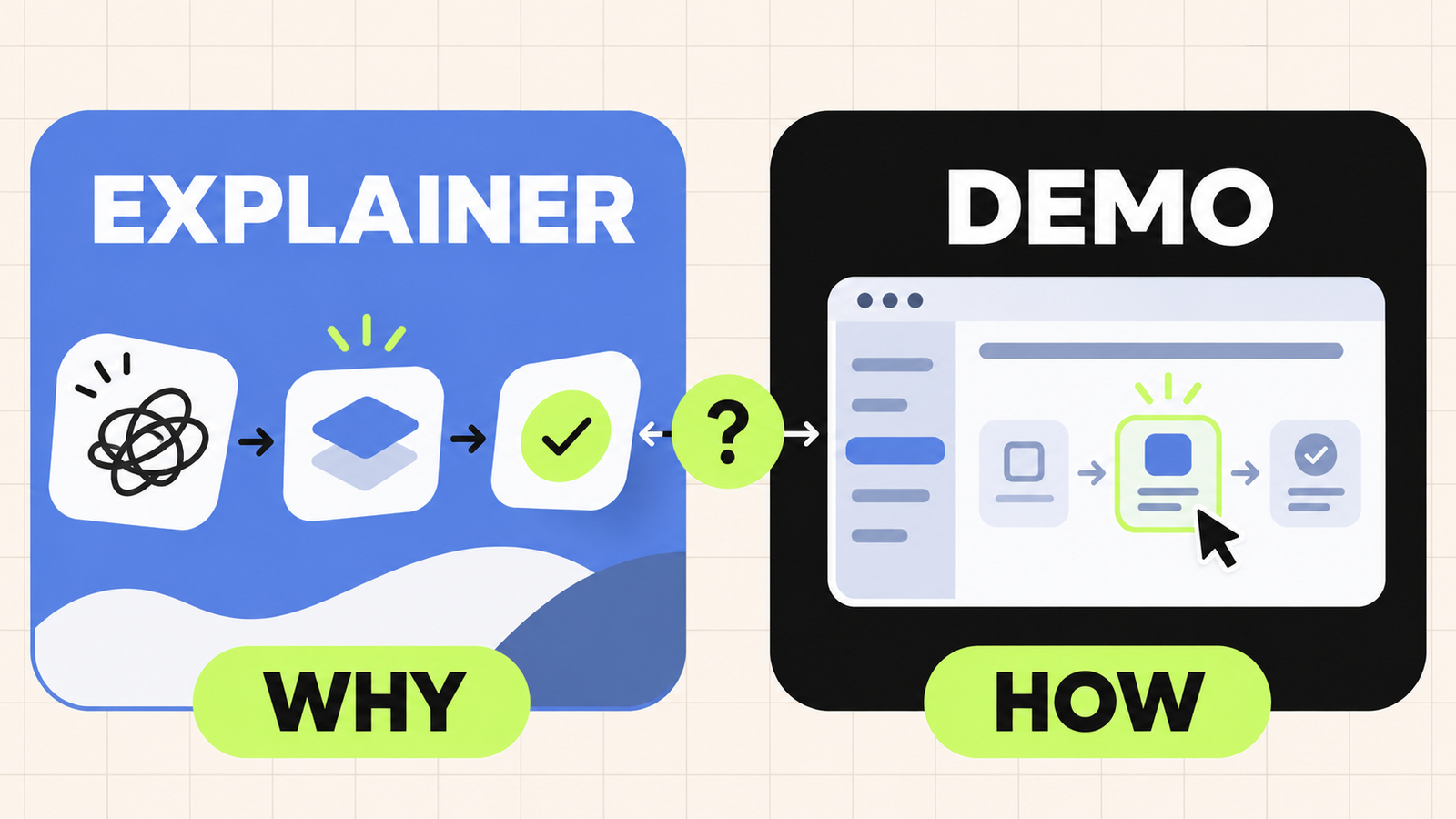
What is the difference between a SaaS demo video and an explainer video?
A SaaS explainer video creates understanding. It frames a buyer problem, introduces a new way to solve it, and makes the product’s value easy to repeat. It may include parts of the interface, but the story leads and the UI supports it.
A SaaS demo video creates product confidence. It shows a specific user moving through a meaningful workflow, so the viewer can see what the product does and imagine using it. The interface leads, while narration, labels, and motion keep the workflow clear.
The most useful difference is the question each format answers:
- Explainer video: “Why should this product matter to me?”
- Demo video: “How will this product help me do the job?”
This is why a screen recording does not automatically become a product demo, and an animated video does not automatically become an explainer. The purpose and story structure define the format more than the visual technique.
SaaS demo video vs explainer video at a glance
Choose an explainer when the buyer needs context
An explainer is a strong fit when the product introduces an unfamiliar category, replaces a process buyers accept as normal, works mostly in the background, or solves a problem that is hard to describe in one sentence. The opening usually starts with the buyer’s situation rather than a dashboard.
A focused explainer can help a visitor move from “I am not sure what this is” to “I understand the value and want to see more.” That makes it useful on homepages, launch campaigns, paid social, investor or sales decks, and early-stage nurture content. Our SaaS explainer video guide covers the planning choices in more detail.
Choose a demo when the buyer needs proof
A demo is a strong fit when the category is understood but the product experience is the differentiator. It works well when buyers ask whether the software supports a particular workflow, whether it looks easy to use, or how several features connect.
A useful demo does not tour every menu. It selects one high-value job and shows the shortest believable path from the starting problem to the desired result. That makes product demos effective on feature pages, comparison pages, sales follow-ups, launch pages, and sections where a prospect is already evaluating options. See the product demo video planning guide for a complete production framework.
A five-question framework for choosing the right format
1. What does the viewer already understand?
Start with the viewer’s current knowledge, not your preferred production style. If the buyer does not yet recognise the problem or category, a detailed interface sequence will feel like a tutorial without a reason to care. Build the mental model first with an explainer.
If the buyer already knows the problem and is comparing products, a broad problem statement wastes attention. Move quickly into the workflow with a demo.
2. What should the viewer believe after watching?
Write one belief change. For an explainer, it might be: “There is a simpler way to manage this process.” For a demo, it might be: “This software can help our team complete this workflow without extra manual steps.”
If your sentence contains several unrelated promises, the video scope is probably too wide. One clear belief is easier to script, storyboard, and remember.
3. Is the product value visible in the interface?
Some SaaS products reveal their value through an obvious on-screen action: build a report, approve a request, generate an asset, or move a deal forward. Those products can often lead with a demo.
Other products create value through automation, data processing, security, infrastructure, or coordination that happens out of view. An explainer can make those invisible mechanisms understandable before the video shows supporting interface moments.
4. Where will the video appear?
Placement changes the job of the video. A homepage visitor may need a quick value story. A visitor on a feature page may want a focused product workflow. A prospect receiving a sales follow-up already has context and may value proof over introduction.
Plan the format around the page and buyer stage instead of producing one long video and placing it everywhere. Our guide to where to use SaaS demo videos shows how the same core story can support different touchpoints.
5. What action should happen next?
An explainer often leads to “learn more,” “see how it works,” or “book a demo.” A product demo can lead to “start a trial,” “compare plans,” or “talk to sales.” The next step tells you how much proof the video must provide before it ends.
If the call to action feels disconnected from the story, revisit the format. A viewer should feel that the next step is the natural continuation of what they just watched.
When a hybrid SaaS video is the better choice
You do not always need to choose a pure format. Many strong SaaS landing-page videos combine an explainer opening with a focused demo body. The first part establishes the buyer problem and the desired outcome. The second part proves the promise through one product workflow. The close reinforces the result and gives the viewer a clear next step.
A practical hybrid structure looks like this:
- Context: name the buyer situation in a few seconds.
- Promise: show the better outcome your product enables.
- Proof: demonstrate one workflow that makes the promise credible.
- Next step: tell the viewer what to do after watching.
The danger is trying to combine a full brand story with a full product tour. A hybrid still needs one audience, one use case, and one central message. A scene-by-scene storyboard makes it easier to see when the video is carrying too many ideas.
Common mistakes that weaken both formats
Starting with features instead of the buyer
Feature lists force the viewer to translate product language into personal relevance. Begin with the job, friction, or outcome that matters to the intended buyer, then introduce only the features required to support that story.
Showing every part of the UI
A marketing demo is not product documentation. Extra clicks and menus slow the story and make the product feel more complex. Use the cleanest credible path through the workflow and reserve edge cases for tutorials or a live sales call.
Writing the voiceover before choosing the visual proof
A script can make promises that the available interface cannot show clearly. Decide what the viewer needs to see at each moment, then write narration that adds meaning instead of describing every click.
Using one edit for every channel
A homepage, sales follow-up, and social ad create different viewing conditions. Plan the master story so it can produce useful shorter versions, silent-friendly captions, or focused feature cutdowns without weakening the main narrative.
How Myna Studio approaches the decision
Across the SaaS work in our video portfolio, the strongest starting point is rarely “which animation style should we use?” It is “what must the buyer understand or trust next?” That answer determines whether the story should lead with the problem, the product, or a blend of both.
We then narrow the scope to the smallest story that can move that buyer forward. For an explainer, that means protecting the core idea from unnecessary product detail. For a demo, it means choosing a workflow with enough context to feel relevant and enough interface proof to feel credible.
Frequently asked questions
Is a product demo video the same as a tutorial?
No. A product demo is designed to help a prospect understand value and evaluate the product. A tutorial teaches an existing user how to complete a task. A demo can simplify or skip setup details; a tutorial must be accurate enough for the user to follow.
Can an explainer video include real product UI?
Yes. Real or recreated UI can strengthen an explainer when it supports the value story. The interface should prove a claim rather than turn the video into an exhaustive walkthrough.
How long should a SaaS demo or explainer video be?
The right length depends on the buyer’s context and the job of the page. A short homepage video may only need one problem, one workflow, and one outcome. A sales or feature-page demo can be longer when the viewer has stronger intent. Remove any scene that does not help the viewer understand, believe, or act.
Should we create both formats?
Create both when they solve different buyer questions. An explainer can introduce the category or value, while a demo gives evaluation-stage buyers product proof. If budget or time allows only one video, choose the question that currently blocks the most valuable next step.
Choose the job before you choose the style
The SaaS demo video vs explainer video decision becomes easier when you define the viewer, the belief change, the proof, the placement, and the next action. An explainer earns attention by making the value clear. A demo earns confidence by making the workflow believable. A focused hybrid can do both when the story stays disciplined.
If you are deciding which format fits your launch or website, tell Myna Studio what your buyer needs to understand next. We can help shape that into a focused video brief before production begins.
By Myna Studio